
If you have recently moved to a new house, got married, or started a separate household, one of the first things on your “to-do” list is likely getting a ration card. In 2026, the process has become almost entirely digital, but we know that “digital” doesn’t always mean “easy.”
A ration card is more than just a way to get subsidized food grains; it is one of the strongest proofs of identity and address you can own in India. Let’s walk through how you can get yours without the headache of visiting multiple offices.
Who is Eligible for a New Ration Card?
Before you start the application, it’s worth checking if you meet the basic requirements. The government has streamlined these to ensure benefits reach those who need them most.
- Nationality: You must be a bonafide citizen of India.
- Residential Status: You should be a resident of the state where you are applying (e.g., if you live in Tamil Nadu, you apply through the TNPDS portal).
- No Duplicate Cards: You or your family members should not already have a name registered on another ration card anywhere in India.
- Income Brackets: Depending on your annual income, you will be categorized into AAY (Antyodaya Anna Yojana for the poorest), PHH (Priority Household), or NPHH (Non-Priority).
A quick tip: If you are moving from another state, make sure you have a “Cancellation Certificate” or “Surrender Certificate” from your previous location first. Without this, your new application will likely be rejected.
Documents You’ll Need to Keep Ready
Don’t wait until you’re halfway through the online form to look for these. Scan them or take clear photos beforehand:
- Aadhaar Cards: Mandatory for every family member you want to include.
- Address Proof: An electricity bill, water bill, or a valid rent agreement works best.
- Income Certificate: Usually required to determine which category of card you qualify for.
- Passport Sized Photos: Generally, a photo of the Head of the Family (usually the eldest female member) is required.
- Bank Passbook: The front page showing the account number and IFSC code.
Step-by-Step Guide to Applying Online
Ready? Follow these steps to submit your application from the comfort of your home.
Step 1: Visit Your State’s Official Portal
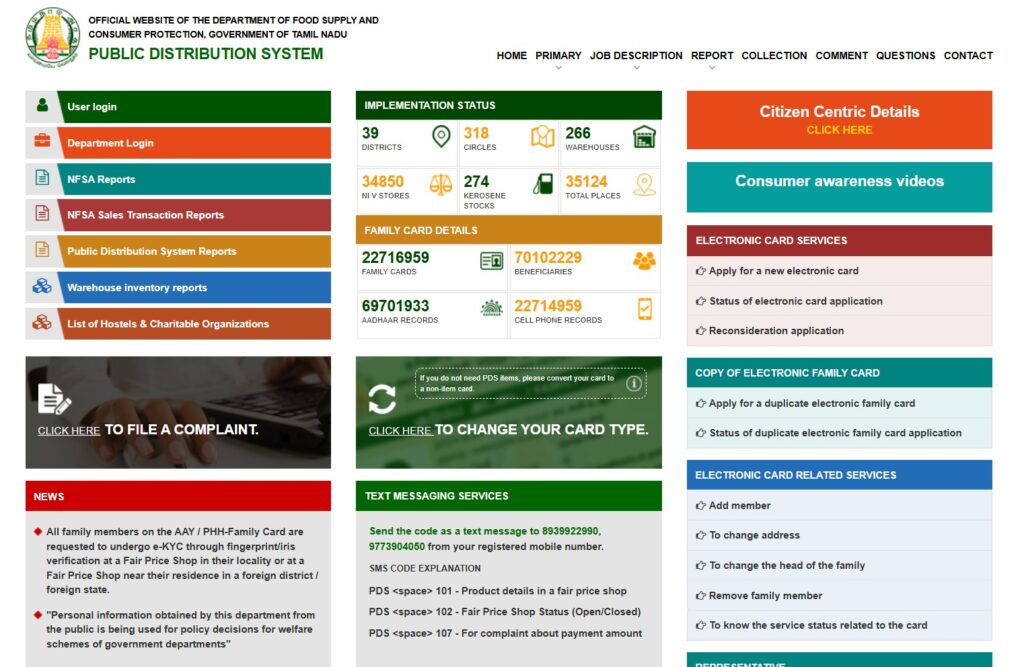
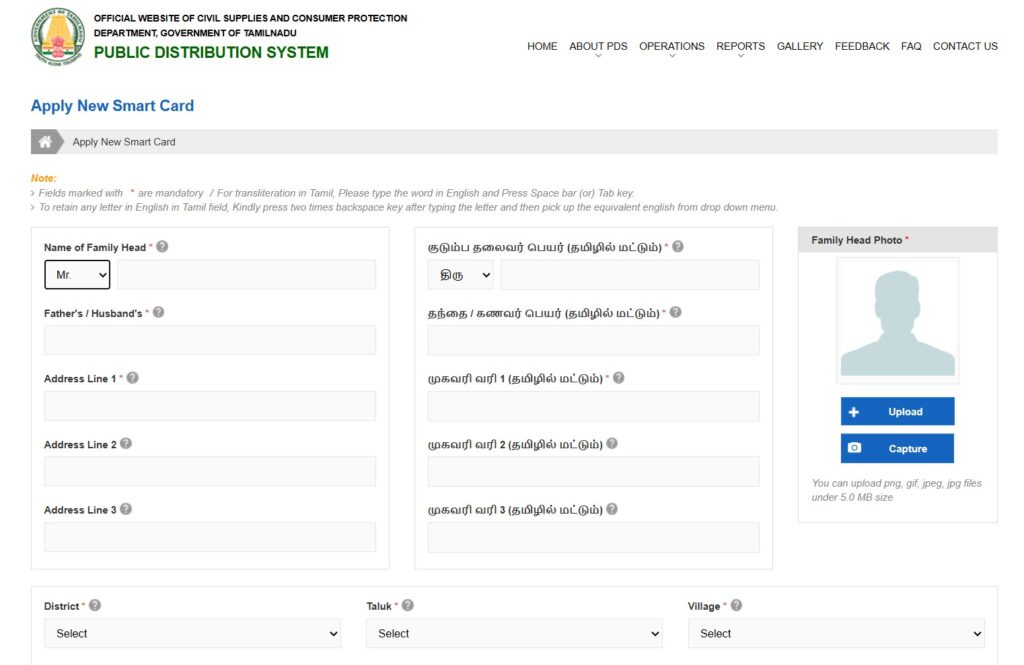
Every state has its own Food and Civil Supplies portal. For example, if you are in Tamil Nadu, you’ll head to tnpds.gov.in. Look for a button that says “Apply for New Smart Card” or “New Ration Card Registration.”
Step 2: Register and Login
You will usually need to enter your mobile number and verify it with an OTP. This mobile number will be your primary way of tracking the application, so use one you plan to keep active!
Step 3: Fill in the Family Details
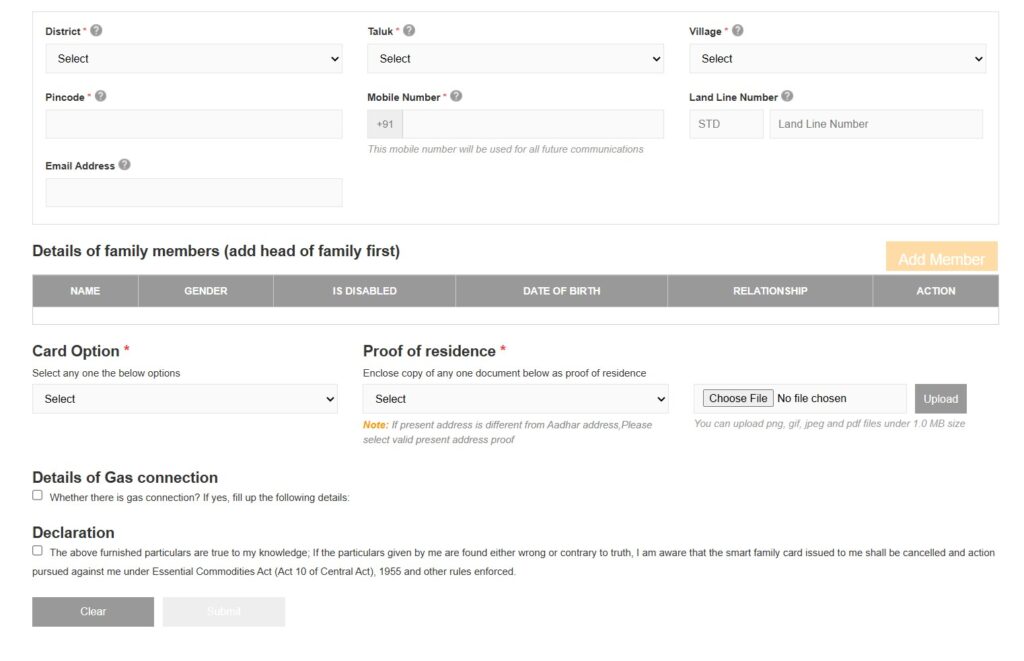
You will be asked for the name of the Head of the Family (HOF). In 2026, the government prioritizes naming the eldest woman as the HOF. You will then “Add Members” one by one by entering their Aadhaar details.
Step 4: Upload Your Documents
This is where most people get stuck. Make sure your files aren’t too large (usually under 200kb or 1MB) and are in the format the website asks for (usually PDF or JPEG).
Step 5: Final Review and Submission
Check the spellings of names carefully—they should match the Aadhaar cards exactly. Once you hit submit, you will receive an Application Reference Number. Save this! You’ll need it to check your status later.
What Happens After You Submit?
Once you click that submit button, your work is mostly done. Here is what happens behind the scenes:
- Field Verification: Within 15 to 30 days, a Food Inspector or local official might visit your home. They just want to verify that the address and family details you provided are real.
- Approval: If everything looks good, your card is approved and sent for printing.
- Collection/Download: You can often download an “e-Ration Card” immediately after approval, while the physical smart card is sent to your local ration shop or via post.
Common Mistakes to Avoid
We’ve seen a lot of applications get rejected for simple reasons. To make sure yours goes through:
- Check the “Aadhaar Link”: Ensure everyone’s Aadhaar is updated. If a child’s biometrics are outdated, the system might flag it.
- Don’t hide existing cards: The 2026 system is very good at spotting duplicate names across states. Always surrender your old card first.
- Clarity is Key: If your uploaded documents are blurry, the officer will reject the application simply because they can’t read it.
Applying for a ration card might feel like a big task, but taking it one step at a time makes it manageable. If you get stuck at any specific state portal, feel free to drop a comment below and we’ll try to help you out!
Ready to apply? You can head over to the official portal here: Apply for New Smart Ration Card (Official TNPDS Portal)
Have questions about this process? Feel free to visit our Contact Us page
Next Step: Secure Your Benefits Once your new Ration Card is approved, the most important thing you must do is link it with your Aadhaar card. This ensures you get your monthly food grains without any technical glitches at the PDS shop. Check out our step-by-step tutorial on How to Link Your Aadhaar with Ration Card Online to finish the process in 5 minutes
New ration card